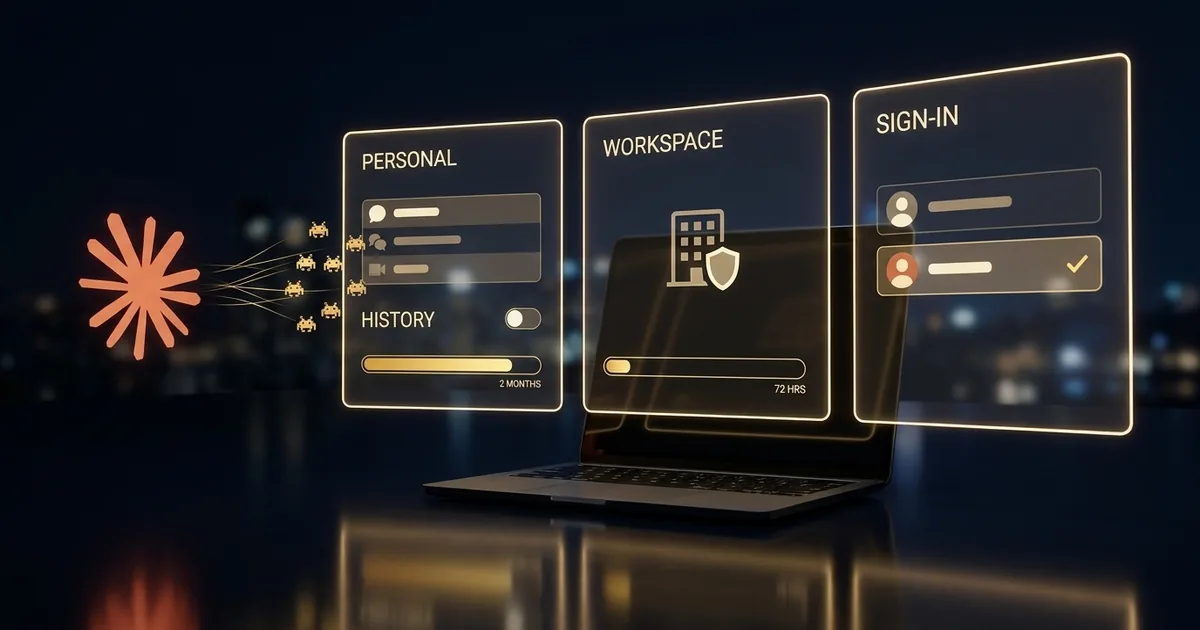
When Gemini conversation history is off, new chats are saved in user accounts for up to 72 hours so Google can provide the service and process any user feedback.
That’s Google’s Workspace privacy page, as it read on November 20. Google’s page for personal accounts now says around two months for the same switch. So if your team pastes a customer’s quote or invoice into Gemini, don’t touch a setting until you know which page covers their sign-in.
Three write-ups of the personal-account change (9to5Google, Digital Trends and The Register) explain the jump from 72 hours to two months. None of them says whether it reaches a work account. Google’s own pages do, and they give two different numbers for the same switch.
Which Google Page Covers Your Team’s Gemini Chats?
The one that matches how each person signs in. Google’s Workspace help page lists the Workspace editions that include Gemini, Business Starter, Business Standard and Business Plus among them. People on those get the Workspace terms, and Google says their content “is not human reviewed or used for Generative AI model training outside their domain without permission.”
Everyone else is a second group. Google calls them “users without a qualifying Google Workspace edition,” and says human reviewers may see their chats and Google may use them “to improve Google’s products, services, and machine-learning technologies.” Its advice to admins is blunt: “Tell these users to avoid entering confidential or sensitive information when using the Gemini app.”
A plain gmail.com address sits in that second group too, because the Workspace page says it “only applies when you are using Gemini and Gemini Notebook with a qualifying edition of Google Workspace.” Which address does your team sign in with? And do you know which of your people use a personal one for work? I can’t see your accounts, so that part is yours to check.
What Changed on the Personal-Account Page?
The wait went from 72 hours to around two months, and the switch got a new name. A copy of the personal-account page that the Wayback Machine saved on November 2 (its header says October 26) calls the switch Keep Activity and says chats are kept “for 72 hours.” The live page, headed November 19, calls it History and says “around two months.”
Count two months as 60 days and that’s about 20 times longer: 60 divided by 3. Google says “around,” so treat 20 as a rough figure.
Google gave The Register a reason. The longer window is “to detect, report, and investigate complex emerging abuse scenarios.” It also said the data “will strictly not be used for GAI model training or for other product improvement purposes.” That second line rests on one source, The Register’s report of a Google statement, and I didn’t find it on the page. The page does say temporary chats “are not used to train Google’s AI models.”
Digital Trends says the rollout runs over the coming weeks, so a given account may not have the new rule yet. I can’t tell from here.
Does Turning History Off Still Protect a Customer’s Details?
Not the way it did last week. On a personal account, switching chat history off used to mean three days at Google. Now it means about two months, and the human-review rule didn’t move: “Regardless of your settings, Google uses your chats to respond to you and help protect Google, our users, and the public, including with help from human reviewers.”
So don’t put customer details in a personal account, whatever the switch says. Google’s own page says the same: “Don’t enter confidential information that you wouldn’t want a reviewer to see or Google to use to improve our services.” A customer’s quote, invoice or email address is that kind of information.
Does a thumbs-down or other feedback change anything?
Yes. With History off, if you send feedback, Google collects “the last 24 hours of your chats” and any attachments in them. Reviewed feedback and the chats tied to it are kept for up to three years, disconnected from your Google Account, according to the same page. That was true before the change too.
If I turn training off, can a person still see a chat?
Yes. The page says that even when your settings don’t allow model training on your chats, Google still uses them “to respond to you and help protect Google, our users, and the public, including with help from human reviewers.” Reviewed chats are saved for up to three years, even if you delete them.
What Can a Workspace Admin Set Today?
Whether Gemini chats are saved at all, and for how long. Google’s Workspace page says admins “can control whether conversations with Gemini are saved and for how long before they are automatically deleted.” With history on, the auto-delete choices are 3, 18 or 36 months, and the default is 18. Staff can’t override the setting, says Google’s Workspace Updates post from May 5, 2025.
That post names the setting as Generative AI > Settings > Gemini app > Gemini conversation history. It’s a 2025 path and menus move, so search the Admin console for the setting’s name if it isn’t there. I haven’t opened an admin console to check.
Will Google Update the Workspace Page to Match?
I don’t know. The Workspace page’s header says October 6 and its footer says November 10, both before Google’s November 16 announcement. I searched for a Workspace announcement that morning and found none, which isn’t proof there isn’t one.
So treat 72 hours as what that page says today, not a promise. The personal-account page says only that a work account “may be subject to different data handling terms.” That’s one Google page pointing at another, and I haven’t tested what any account actually keeps.
Who on your team uses which account for AI? If you’d like help sorting it, book the free call and bring a rough list.